
Clean visuals are no longer optional in the digital content space. Whether you are running an online store, building a social media presence, or putting together a professional portfolio, the background in your photos carries more weight than most people realize. A cluttered or mismatched background pulls attention away from your subject and makes even great photos look amateur.
AI background removal tools have changed how people handle this problem. What used to require careful manual work in Photoshop can now be done in seconds with the right software. This article takes a closer look at one tool built specifically for this job, Leawo Photo BG Remover, covering what it does, who it is designed for, and whether it is worth using.
1. What Is Leawo Photo BG Remover?
Overview
Leawo Photo BG Remover is a desktop application that uses AI to automatically detect the main subject of an image and remove its background in just a few clicks. The software handles the heavy lifting automatically, so you do not need manual selection tools, layers, or any prior photo editing experience to get clean results.
It is available for both Windows and macOS, and all processing happens locally on your device, which is a meaningful advantage over cloud-based tools.
Who Is It Designed For?
The tool is useful across a wide range of users.
- Content creators on YouTube, TikTok, and Instagram who need polished thumbnails and profile visuals
- E-commerce sellers who need consistent, clean product photos against white or transparent backgrounds
- Professionals assembling portfolios or business presentations who want distraction-free imagery
- Everyday users working on invitations, event posters, passport photos, or promotional graphics
If you regularly handle images and want to cut editing time without sacrificing quality, this tool fits naturally into that workflow.
2. Why Background Removal Is Important
The Rise of Visual-Driven Platforms
Social media algorithms and e-commerce platforms reward visual quality. Images that are clean, focused, and free from distracting backgrounds consistently perform better in terms of engagement, clicks, and conversions. A product photo with a clean white background looks deliberate and trustworthy. The same product against a messy countertop looks rushed.
Advantages for E-Commerce and Product Marketing
For online sellers, background consistency is directly tied to brand perception. Marketplaces like Amazon and Etsy often require white backgrounds for product listings. Beyond compliance, clean product images create a more professional storefront appearance, which can strengthen customer confidence and improve purchase decisions.
Common Everyday and Professional Applications
Background removal is useful in more situations than most people expect. Practical use cases include:
- Marketing graphics and digital advertisements
- Resume headshots and digital portfolio images
- Passport and ID photos
- Posters, flyers, and event designs
- Social media profile photos and banners
3. Main Features of Leawo Photo BG Remover
3.1 One-Click AI Background Removal
The core feature is a fully automated removal process. The AI detects the subject of the image and strips the background without requiring manual tracing or selection. For most standard photos, the result is clean and ready to use immediately.
3.2 Flexible Background Editing Options
After removing the original background, you have several options for what to do next. You can replace it with a solid color, drop in a custom background image, apply a blur effect, or simply export a transparent PNG. This makes the tool useful for a range of creative and commercial purposes, not just basic removal.
3.3 Batch Processing Functionality
One of the more practical features for heavy users is batch processing. You can import multiple images and process them all at once, which is particularly valuable for e-commerce sellers working through large product catalogs or creators managing content across multiple channels.
3.4 Accurate Edge and Detail Detection
Fine details like hair strands, soft edges, and irregular outlines are where many background removal tools fall apart. Leawo Photo BG Remover uses AI edge detection to preserve these details and maintain a natural-looking cutout, even in complex images.
3.5 Simple and Accessible Interface
The interface is laid out in a way that is immediately understandable for beginners while remaining efficient for users who want to move quickly through multiple images. There is no steep learning curve, and the workflow is linear and predictable.
3.6 Offline Processing for Better Privacy
All image processing happens on your local device. Nothing is uploaded to a cloud server, which means your personal or sensitive photos stay private. This is a notable advantage over web-based tools that process images remotely.
4. How to Remove Backgrounds Using Leawo Photo BG Remover
The workflow is straightforward and takes just a few steps.
- Launch Leawo Photo BG Remover on your Windows or Mac computer.
- Import one or more images using the drag-and-drop area or file browser.
- Let the AI process the image automatically. The background is detected and removed without any manual input.
- Choose what to do with the background. Replace it with a color, add a custom image, apply blur, or keep it transparent.
- Export the finished image in your preferred format. Transparent PNG is available for designs that require it.
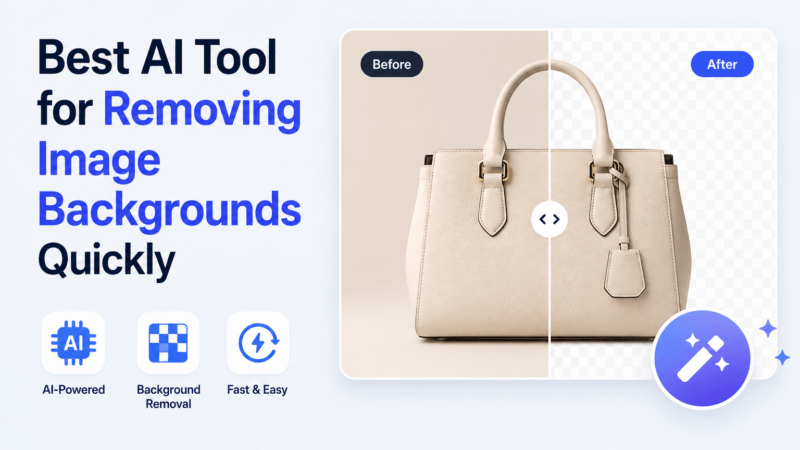
Extra Tip: Running a quick before-and-after comparison after processing is a good habit, especially for images with fine details like hair or product edges. It helps you spot any areas that might need a minor manual correction before finalizing.
5. Pros and Cons
Pros:
- Fast AI-powered background removal with minimal user input
- Fully automated workflow requiring no manual selection
- Batch processing for handling multiple images at once
- Strong edge and detail preservation for natural-looking results
- Fully offline, so no privacy concerns around image uploads
- Multiple background replacement and customization options
Cons:
- Desktop only, with no mobile or browser-based version available
- Some advanced features are restricted to the paid version
6. Frequently Asked Questions About Leawo Photo BG Remover
1. Can Leawo Photo BG Remover create transparent PNG images?
Yes. After removing the background, you can export the image as a transparent PNG. This format is ideal for design work, product listings, and any project where you need a clean cutout that can be placed over different backgrounds in other software.
2. Does the software work offline?
Yes, entirely. All image processing is handled locally on your device. You do not need an internet connection to use the tool, and no images are sent to external servers. This makes it a privacy-friendly option compared to many web-based alternatives.
3. Is Leawo Photo BG Remover beginner-friendly?
Very much so. The interface is designed to guide users through a simple process without requiring any photo editing background. The AI handles detection and removal automatically, so there is nothing technically demanding involved in getting a good result.
4. Can it process multiple images at once?
Yes. The batch processing feature allows you to import and process a large number of images simultaneously. This is one of the tool’s most practical strengths for e-commerce sellers or creators working with high volumes of content.
5. Is the free version enough for casual users?
The free version covers the core background removal functionality, which is enough for occasional use. Users who need batch processing, advanced export options, or access to all background replacement features will benefit more from the paid version. For light personal use, the free tier handles the basics well.
Final Verdict
Leawo Photo BG Remover delivers on its core promise. The AI removal is fast, the results are clean, and the offline processing sets it apart from cloud-based tools that raise privacy questions. The batch processing feature alone makes it a time-saver for anyone working with more than a handful of images at a time.
It is best suited for e-commerce sellers who need consistent product photos, content creators who want quick and clean visual assets, and everyday users who want professional results without learning complex editing software. For users who also need broader photo enhancement beyond background removal, pairing it with Leawo PhotoIns covers a wider range of editing needs in one ecosystem.
If you need a reliable, private, and beginner-friendly AI background changer that handles real workloads without slowing you down, Leawo Photo BG Remover is a solid pick.