Have you ever wondered how data travels so fast across the internet? It all happens through tiny glass strands called fiber optic cables. These cables are like superhighways for light. But just like regular roads, these light highways need regular checkups to make sure they work perfectly. This is where an MTP loopback becomes a true hero for network engineers.
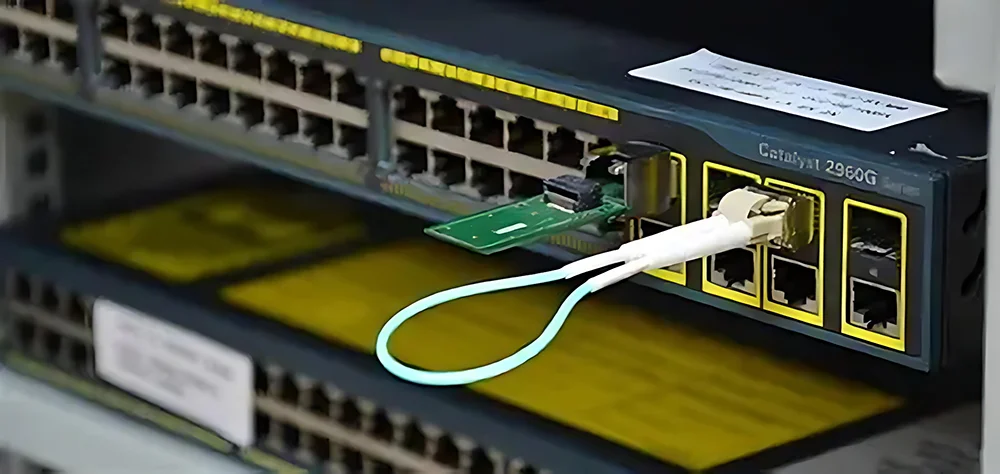
An MTP loopback is a special, compact device used to test fiber optic networks. Imagine sending a letter to yourself just to see if the mail carrier is doing a good job. That is exactly what this clever tool does with light. It plugs into a network port, takes the outgoing light signal, and bounces it straight back to the receiver.
By routing the signal back to its source, it helps technicians test the network without running long cables across a building. It acts like a digital mirror for data. If the signal comes back strong and clean, the network is in great shape. If the signal disappears or gets weak, technicians know there is a problem that needs fixing right away.
How Does Fiber Optic Data Travel Anyway?
To understand how an MTP loopback works, we should first look at how fiber cables transmit data. Inside a fiber cable, information travels as pulses of light. These light pulses blink on and off billions of times every single second. This rapid blinking carries your videos, games, and website data across the globe.
A standard fiber connection always needs two paths to work correctly. One path is for sending data, and the other path is for receiving data. Think of it like a two-lane highway where cars travel in opposite directions to prevent crashes. If either lane blocks up, the whole traffic system stops working immediately.
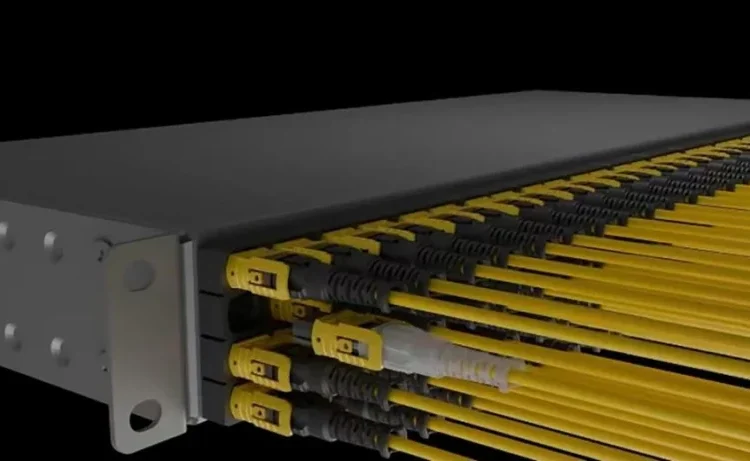
In large data centers, managing hundreds of individual two-lane fibers gets very messy. That is why experts created the MTP connector system. It bundles many fibers into one single, neat plug. An MTP loopback uses this exact same multi-fiber design to test those crowded data highways all at once with ease.
The Secret Magic Inside the MTP Loopback Tool
At first glance, an MTP loopback looks like a simple plastic plug with no cables attached. But inside its tiny plastic shell, a lot of amazing engineering is happening. The device contains short loops of fiber optic glass that connect the transmit fibers directly to the receive fibers.
When you plug the MTP loopback into a piece of networking gear, the magic starts. The equipment shines its laser light out through the sending pins. The loopback catches that light and bends it around a tight, safe curve. It then feeds that exact same light right back into the equipment’s receiving pins.
This clever design allows a single technician to test an entire network port completely on their own. You do not need a second person standing on the other side of the building with another machine. It saves time, reduces labor costs, and makes troubleshooting a fast, painless task for busy IT teams.
Why Network Experts Love Using an MTP Loopback
Network engineers love the MTP loopback because it makes their daily jobs much easier. In the past, testing a network required bulky equipment and multiple steps. Now, this pocket-sized tool can diagnose complex hardware issues in a matter of seconds. It is a must-have item in every IT technician’s tool bag.
Another major benefit of the MTP loopback is its incredible accuracy. Because the loop path is very short, it introduces almost zero signal loss. This means any errors detected during the test are coming from the actual network gear, not from the test tool itself. It removes all the annoying guesswork from troubleshooting.
Furthermore, these tools are highly durable and affordable. They protect expensive network ports from dust and damage during testing phases. Instead of risking damage to a long, expensive cable run, technicians use this small plug to verify that everything is configured correctly before live data starts flowing.
Different Types of MTP Connectors Explained Simply
Not all fiber networks are exactly the same, which means loopbacks come in different styles too. The most common types are based on the number of fiber strands inside the connector. You will often hear experts talk about 8-fiber, 12-fiber, or 24-fiber systems when setting up modern data centers.
A 12-fiber MTP loopback is a very popular choice for traditional network architectures. It aligns twelve separate strands of glass in a single row. For newer, ultra-fast networks, a 24-fiber MTP loopback is frequently used instead. This version packs two rows of twelve fibers into the exact same space for double the data power.
There is also a difference in how the glass tips are polished. Some have flat tips, while others have angled tips to prevent light from bouncing backwards awkwardly. Matching the correct connector style to your specific network equipment is essential for getting accurate test results every single time.
Understanding Singlemode vs Multimode Fiber Tech
When choosing an MTP loopback, you must match it to your specific fiber type. Fiber optic cables come in two main families: singlemode and multimode. Singlemode fiber uses a very thin glass core and carries yellow jackets. It uses powerful lasers to send data over incredibly long distances, like between cities.
Multimode fiber has a thicker glass core and usually wears an aqua-colored jacket. It uses cheaper LED lights to send data over shorter distances, like inside a single office building. Because the light bounces around more inside multimode fiber, it requires a matching multimode MTP loopback to test it properly.
Using a singlemode MTP loopback on a multimode network will not work because the light paths will misalign. The light will get lost inside the connector, giving you a false error report. Always check the color of your cables and match your loopback tool to ensure a perfect test.
Step by Step Guide to Testing with a Loopback
Testing a network port with an MTP loopback is a very simple process that anyone can learn. First, you must always clean the connectors using a specialized fiber cleaning pen. Even a tiny speck of dust can completely block the laser light and ruin your test results or scratch the glass.
Next, gently insert the MTP loopback into the transceiver port until you hear a soft click. This click tells you the device is securely locked into place. Once connected, look at the management software on your computer screen or check the indicator lights on the front of the network switch.
If the port light turns green, it means the MTP loopback successfully returned the signal. Your hardware is working perfectly! If the light stays dark or blinks red, data is getting lost somewhere inside the port. You can now fix the specific port without wasting time checking the rest of the cable system.
Common Mistakes to Avoid During Fiber Testing
Even though using an MTP loopback is easy, beginners still make a few common mistakes. The biggest mistake is forgetting to clean the optical tips before plugging them in. Skin oils, dust, and lint are the number one enemies of fiber optics. Always clean every connection every single time.
Another common error is pulling the device out by its delicate body instead of using the pull-tab. Jerking the tool can break the tiny glass loops hidden inside the plastic housing. Treat your MTP loopback with care, and it will last for thousands of successful tests over many years.
Finally, never look directly into the end of a fiber cable or a loopback device. The laser light used in fiber optics is completely invisible to human eyes, but it is powerful enough to cause permanent eye damage. Always assume the fiber is live and active, and keep the tips pointed safely away from your face.
How Loopbacks Help Build the Future of Data Centers
Data centers are the giant warehouses that power the cloud, streaming services, and artificial intelligence. These facilities hold thousands of computers that talk to each other constantly. To handle this massive data load, they rely heavily on high-density MTP cabling systems to keep everything connected.
During the construction of a new data center, engineers use the MTP loopback to test thousands of ports before the servers even arrive. This proactive testing ensures that the infrastructure is flawless from day one. It prevents costly delays and network downtime when the facility finally goes live.
As internet speeds jump to higher brackets, the demand for reliable testing tools grows even faster. The humble MTP loopback remains an essential building block for creating stable, lightning-fast internet connections worldwide. It proves that sometimes the smallest tools make the biggest difference in high-tech worlds.
Technical and Biography Table
To help you understand the physical and technical layout of these important networking tools, we have created a detailed guide below. This table breaks down the core elements of a standard loopback device so you can compare options easily.
| Feature Type | Specification Detail | Operational Benefit |
| Fiber Count Options | 8, 12, 24, or 48 Strands | Matches various network high-density speeds |
| Fiber Types | OS2 Singlemode / OM3 & OM4 Multimode | Ensures compatibility with short or long reach |
| Connector Type | MTP / MPO Compatible Female or Male | Standardized fit for major network switches |
| Color Codes | Yellow (Singlemode) / Aqua or Violet (Multimode) | Allows instant visual identification in the field |
| Insertion Loss | Typically less than 0.35 dB | Provides highly accurate loop testing results |
| Housing Design | Compact shell with an integrated pull-tab | Enables easy extraction from crowded panels |
| Durability Rating | Over 500 matings and insertions | Long-lasting performance for repeatable testing |
Summary and Next Steps for Your Network
In conclusion, the MTP loopback is an incredibly helpful tool for anyone working with fiber optic networks. It simplifies the testing process, saves valuable time, and ensures your data highways run at peak performance. By bouncing light signals back to their source, it takes the mystery out of network troubleshooting.
Whether you are building a massive corporate data center or managing a local school network, having the right tools makes all the difference. Remember to always clean your tips, match your fiber types, and handle your test gear with care. With these best practices, your network will stay fast, reliable, and ready for the future.
Frequently Asked Questions
What does an MTP loopback actually do?
An MTP loopback plugs into a network port to test its sending and receiving capabilities. It takes the outgoing light signal from the device and loops it straight back into the receiver path. This allows a technician to verify if the network port is working correctly without running long external cables.
Can I use a multimode loopback on a singlemode port?
No, you cannot mix singlemode and multimode equipment. Singlemode fiber has a much smaller core than multimode fiber. If you mix them, the light paths will not line up properly. This misalignment causes major signal loss and will give you incorrect test results.
Why is cleaning the MTP loopback so important?
Fiber optics use light to send data through glass strands that are as thin as a human hair. A single speck of dust can completely block the light or scratch the delicate glass surfaces. Cleaning ensures that light flows freely and prevents permanent damage to your expensive networking hardware.
What is the difference between MTP and MPO?
MPO is the general industry standard term for multi-fiber push-on connectors. MTP is a specific brand name version of an MPO connector made by a company called US Conec. MTP connectors are built with higher-quality parts to offer better performance, but they fit into the same standard MPO slots.
Do I need a male or female MTP loopback?
It depends entirely on the port you are testing. Most standard network transceivers accept a male connector, which means you will need a female loopback device that features alignment holes. Always look inside the equipment port to see if it has alignment pins before choosing your tool.
Is the light inside a fiber loopback dangerous to look at?
Yes, the laser light used in fiber optic networks is very dangerous. It is completely invisible to the human eye, so you cannot see it blinking or shining. Looking directly into a live fiber strand or loopback device can cause serious, permanent damage to your eyesight before you even notice it.